
Entry-level visualization
Basic Panels
Compact machines and essential operation- Touch operation
- Machine visualization
- Compact installations
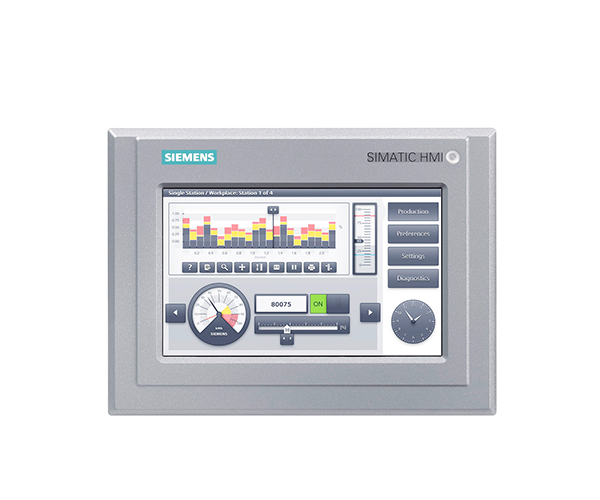
SIMATIC HMI
Machine visualization and operator interfaces for new systems and modernization projects.
Honghao helps identify panel families, display size, communication compatibility and replacement paths. For integrated projects, HMI supply can be combined with PLC selection, control-cabinet assembly and programming coordination.
Common SIMATIC HMI searches
Review these points before choosing a model name or requesting a replacement.
Review mounting cut-out, viewing distance, number and density of controls, alarm and trend needs, PLC protocol, user management, remote access, environment, software platform and replacement path. Screen size alone does not define compatibility.
Review Unified Comfort PanelsA conversion assessment is required. Check the original engineering project and version, scripts, faceplates, fonts, recipes, archives, communication drivers, user management and unsupported functions. Budget time for redesign and acceptance testing.
See the retrofit workflowSend photos of both labels, the full old article number, project backup, software version, panel cut-out, PLC type, communication, language requirements and a list of critical screens or functions. State whether programming and site commissioning are required.
Send replacement informationProduct range
Compare the available options before choosing a series. The final configuration is released from the complete article number, with accessories and application conditions reviewed as one system.
Entry-level visualization
Current-generation basic HMI
Advanced operator interface
Selection checklist
Providing the listed SIMATIC HMI application data early reduces configuration changes and keeps the quotation aligned with the actual machine or process.
Honghao support
Typical applications
Selection questions
These SIMATIC HMI answers cover the decisions most likely to change the article number, accessories, replacement plan or control-panel scope.
Questions buyers ask before choosing operator panels.
Review mounting cut-out, viewing distance, number and density of controls, alarm and trend needs, PLC protocol, user management, remote access, environment, software platform and replacement path. Screen size alone does not define compatibility.
Review Unified Comfort PanelsA conversion assessment is required. Check the original engineering project and version, scripts, faceplates, fonts, recipes, archives, communication drivers, user management and unsupported functions. Budget time for redesign and acceptance testing.
See the retrofit workflowSend photos of both labels, the full old article number, project backup, software version, panel cut-out, PLC type, communication, language requirements and a list of critical screens or functions. State whether programming and site commissioning are required.
Send replacement informationThe information needed for a technically usable offer.
Send the full article number for replacements. For a new application, provide display, controller, functions, migration, quantity, destination and required delivery date. Honghao will identify assumptions before confirming the BOM.
Send product or application dataThe review checks the complete article number, product generation, required accessories, electrical and communication interfaces, lifecycle status and the surrounding system. Final ratings remain tied to current manufacturer documentation and the approved BOM.
See the technical review methodYes, when the contracted scope includes panel engineering. The design basis should define power, protection, environment, interfaces, drawings, programming responsibility, FAT and export documentation before assembly.
Explore engineered control panelsReady for review