
BEST FITNew compact machinery
Current-generation basic HMI
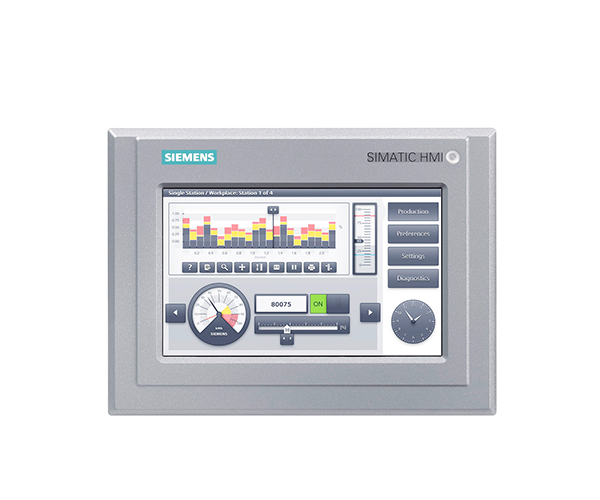
SIMATIC HMI Unified Basic Panels
Web-based entry HMI panels using WinCC Unified, with capacitive multitouch and a consistent hardware platform for modern compact machines.
A good new-design choice when a compact machine needs modern visualization, scalable screen sizes and Unified engineering at a controlled cost.
Request exact article number Selection is confirmed against motor, I/O, network and destination data.
KEY PARAMETERDisplay sizes4–12 inch portfolio
CHECK FIRSTNot every classic Basic project converts automatically
RFQ INPUTRequired screen size and orientation
Technical parameters
Selection data
These values describe the product family and the decisions behind selection. The exact datasheet is tied to the complete Siemens article number.
ParameterFamily rangeEngineering note
Display sizes4–12 inch portfolioSelect by screen density, viewing distance, gloves and cut-out.
DisplayHigh-resolution widescreen, 16 million colorsLandscape and portrait support depends on project configuration.
OperationCapacitive multitouchValidate glove type and operator environment during design.
InterfacesGigabit Ethernet and USB interfacesNetwork and service access must be included in the security concept.
Engineering softwareWinCC Unified in TIA PortalConfirm software version and runtime feature limits.
Remote accessModel/runtime-dependent web capabilitiesDefine users, network zones and approved remote-access method.
Common search questions
Quick answers for SIMATIC HMI Unified Basic Panels.
Family guidance narrows the request. The exact Siemens article number remains the final commercial and technical identity.
What is SIMATIC HMI Unified Basic Panels best suited for?
A good new-design choice when a compact machine needs modern visualization, scalable screen sizes and Unified engineering at a controlled cost. Typical applications include packaging machines, material handling, utility skids.
Which information is required to select SIMATIC HMI Unified Basic Panels?
Start with required screen size and orientation, plc/protocol and tag count, alarm, recipe, trend and user functions, remote-client requirement. Final ratings and accessories are confirmed against the full article number and current manufacturer data.
Can SIMATIC HMI Unified Basic Panels be quoted from a model name only?
A model name identifies a family, not always the exact hardware. Honghao checks the complete article number, electrical data, options, accessories, lifecycle status, quantity and destination before confirming the offer.
Good fit
Use it when
- New compact machinery
- Modern replacement projects
- Operator stations with standard HMI tasks
- Machines requiring consistent UI scaling
Selection limits
Check before specifying
- Not every classic Basic project converts automatically
- Advanced reporting, edge apps or large data volumes may favor Unified Comfort
- Exact ratings, functions, approvals and lifecycle status depend on the complete Siemens article number and firmware. Honghao confirms these against the requested BOM before quotation.
Strengths
Why this family
- Same performance and interfaces across main sizes
- Modern web-based visualization
- Multitouch operation
- Compact cost-focused platform
Typical BOM
Accessories
- Mounting clips
- 24 V DC power supply
- Industrial Ethernet switch
- USB service media
- Approved remote-access licenses
Application data
What to send
- Required screen size and orientation
- PLC/protocol and tag count
- Alarm, recipe, trend and user functions
- Remote-client requirement
- TIA Portal and WinCC Unified version
Technical basis
Manufacturer data remains the final reference.
Honghao uses family-level guidance to structure the enquiry. Final ratings, options, certificates and lifecycle status are checked against the exact article number and current manufacturer documentation.
Typical applications
Where it is used
RFQ checklist
Get a usable quotation
Send the full article number if it is a replacement. For a new application, send the project data listed above, quantity, destination country and required delivery date.
Send BOM or application dataExact configuration