
BEST FITSimple machine HMIs
Entry-level operator panel
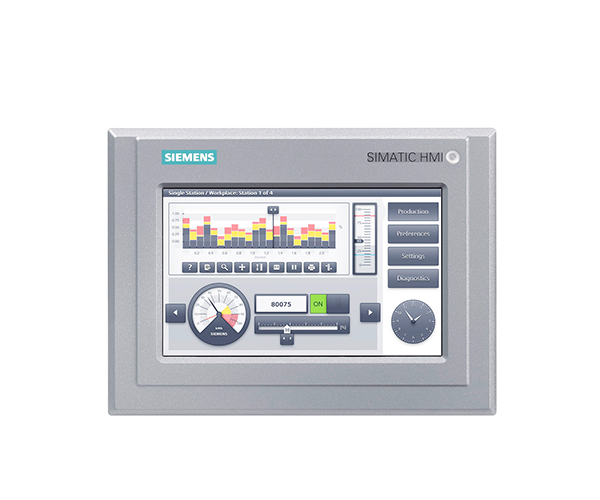
SIMATIC HMI Basic Panels
Operator panels for essential machine visualization, alarms, setpoints and diagnostics in applications with a limited quantity structure.
Used for compact machines that need a dedicated industrial touch interface without the data and extensibility requirements of a higher-end panel.
Request exact article number Selection is confirmed against motor, I/O, network and destination data.
KEY PARAMETERDisplayModel-dependent compact widescreen sizes
CHECK FIRSTCheck lifecycle before specifying for a new platform
RFQ INPUTExisting panel article number and cut-out
Technical parameters
Selection data
These values describe the product family and the decisions behind selection. The exact datasheet is tied to the complete Siemens article number.
ParameterFamily rangeEngineering note
DisplayModel-dependent compact widescreen sizesConfirm diagonal, resolution, mounting cut-out and operator distance.
CommunicationPROFINET variants; selected legacy interfaces by modelMatch the panel protocol to the PLC and existing machine network.
FunctionsScreens, alarms, recipes and basic trendsTag, alarm and recipe limits vary by device and software release.
Engineering softwareWinCC Basic in TIA PortalCheck whether the existing project can be migrated or requires redevelopment.
InstallationPanel-mounted industrial HMIFront/rear protection and ambient rating depend on device and installation.
LifecycleClassic product familyReview current availability and Unified migration path for new designs.
Common search questions
Quick answers for SIMATIC HMI Basic Panels.
Family guidance narrows the request. The exact Siemens article number remains the final commercial and technical identity.
What is SIMATIC HMI Basic Panels best suited for?
Used for compact machines that need a dedicated industrial touch interface without the data and extensibility requirements of a higher-end panel. Typical applications include compact machines, pump skids, utility panels.
Which information is required to select SIMATIC HMI Basic Panels?
Start with existing panel article number and cut-out, plc and protocol, screen count, tags, alarms and recipes, language and user-management needs. Final ratings and accessories are confirmed against the full article number and current manufacturer data.
Can SIMATIC HMI Basic Panels be quoted from a model name only?
A model name identifies a family, not always the exact hardware. Honghao checks the complete article number, electrical data, options, accessories, lifecycle status, quantity and destination before confirming the offer.
Good fit
Use it when
- Simple machine HMIs
- Local pump and utility panels
- Basic alarm and setpoint control
- Like-for-like replacement reviews
Selection limits
Check before specifying
- Check lifecycle before specifying for a new platform
- Advanced reporting, audit and web access may favor Unified Panels
- Exact ratings, functions, approvals and lifecycle status depend on the complete Siemens article number and firmware. Honghao confirms these against the requested BOM before quotation.
Strengths
Why this family
- Cost-effective machine visualization
- TIA Portal integration
- Compact panel formats
- Established installed base
Typical BOM
Accessories
- Mounting accessories
- PROFINET cable and switch
- 24 V DC supply
- USB service media
- Protective membrane where approved
Application data
What to send
- Existing panel article number and cut-out
- PLC and protocol
- Screen count, tags, alarms and recipes
- Language and user-management needs
- Existing WinCC project and version
Technical basis
Manufacturer data remains the final reference.
Honghao uses family-level guidance to structure the enquiry. Final ratings, options, certificates and lifecycle status are checked against the exact article number and current manufacturer documentation.
Typical applications
Where it is used
RFQ checklist
Get a usable quotation
Send the full article number if it is a replacement. For a new application, send the project data listed above, quantity, destination country and required delivery date.
Send BOM or application dataExact configuration